Features Use Cases Privacy Pricing AI Disclosure Transparency & Data Sharing Privacy Policy Contact Get the App
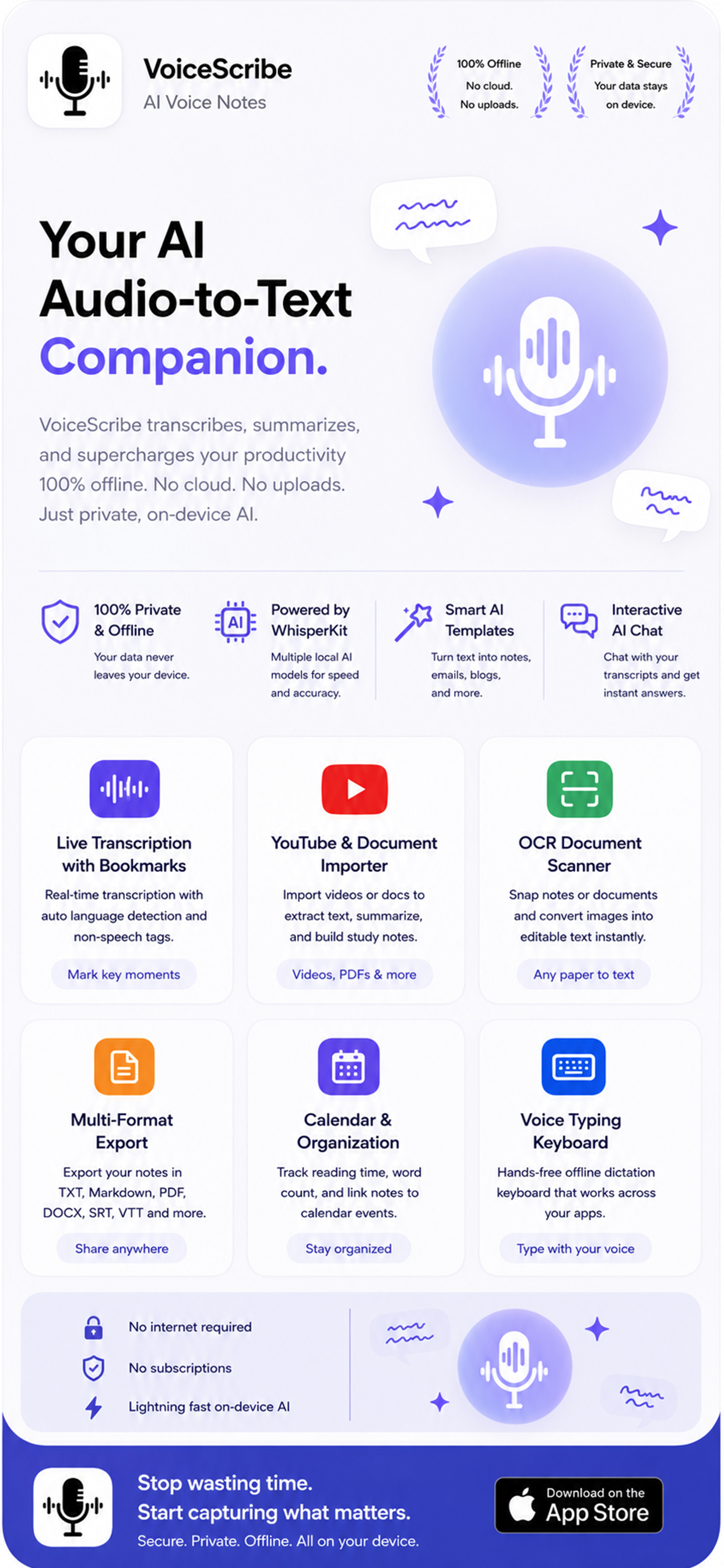
✦ Your AI Audio-to-Text Companion

Turn your voice into
notes, summaries & action.

VoiceScribe records, transcribes and supercharges your productivity. Audio is transcribed privately on your iPhone with WhisperKit — and optional AI tools summarize, translate and study for you on demand.
On-device transcription 100+ languages Instant AI summaries
On-deviceWhisperKit transcription
AI SummaryConcepts & action items
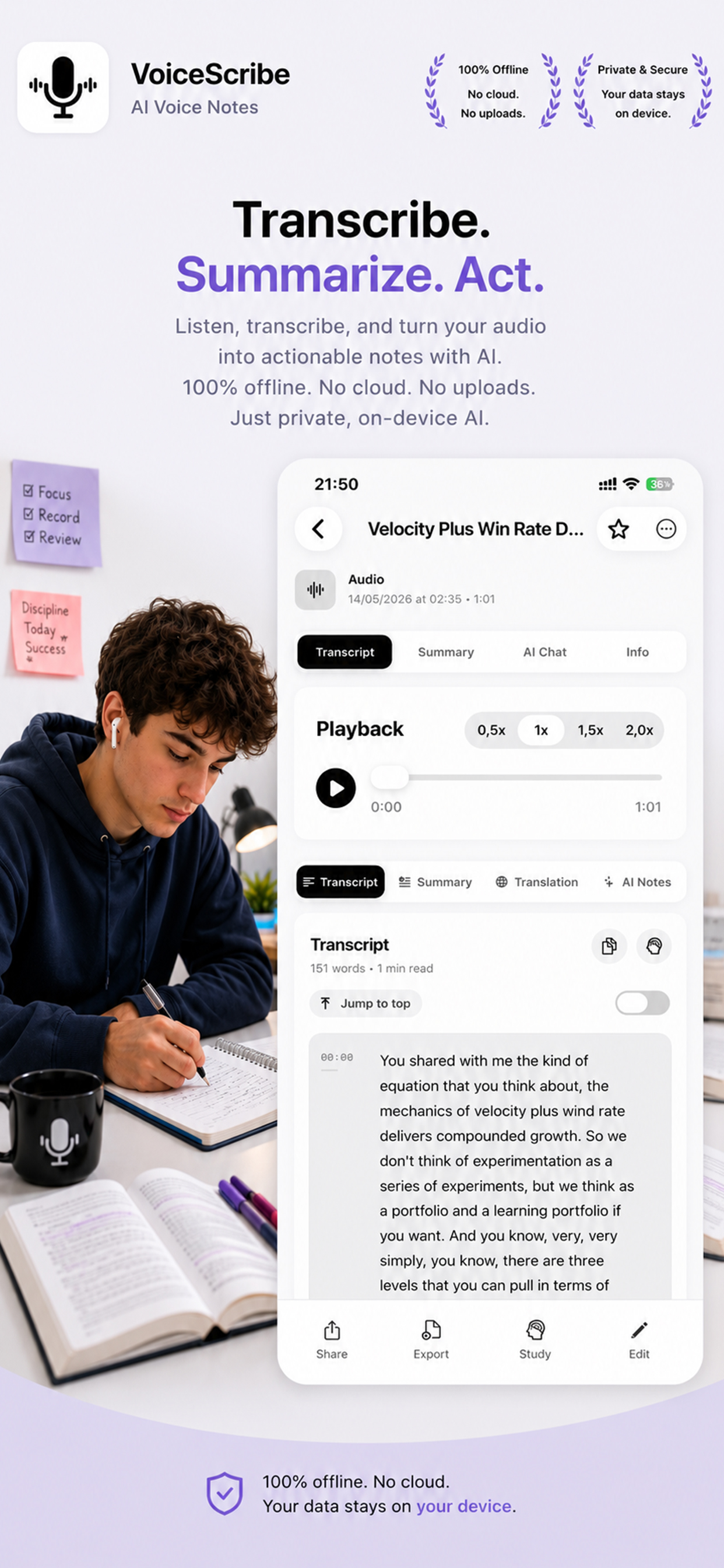
VoiceScribe transcript view showing playback, transcript, summary and AI chat tabs

Built on trusted, transparent technology

WhisperKit · On-device DeepSeek API · Optional AI Apple StoreKit Google Calendar Microsoft Graph App Tracking Transparency
In short

What is VoiceScribe?

VoiceScribe is an AI voice notes app for iPhone. It records or imports audio, transcribes speech to text on-device with WhisperKit (audio is never uploaded for transcription), then lets optional cloud AI summarize, take notes, chat, rewrite, translate and create study quizzes — running only when you ask it to, on the transcript text you choose.

On-device
Transcription via WhisperKit
Optional
Cloud AI via DeepSeek API
100+
Languages supported
6
Export formats
Everything in one app

One voice. Endless output.

Record or import audio, get an accurate transcript on your device, then let optional AI turn it into summaries, notes, translations, flashcards and more.

Live Transcription with Bookmarks

Real-time, on-device transcription with automatic language detection, non-speech tags and the ability to mark key moments as you record.

On-device · WhisperKit

AI Summaries & Notes

Generate clean summaries, structured notes, key concepts and action items from any transcript. Powered by the DeepSeek API when you choose to run it.

Optional cloud AI

YouTube & Document Import

Import videos, PDFs and documents to extract text, summarize and build study notes.

Videos, PDFs & more

OCR Document Scanner

Snap notes or documents and convert images into editable, searchable text instantly.

Any paper to text

Voice Typing Keyboard

A hands-free dictation keyboard that works across your apps — speak and it types.

Type with your voice

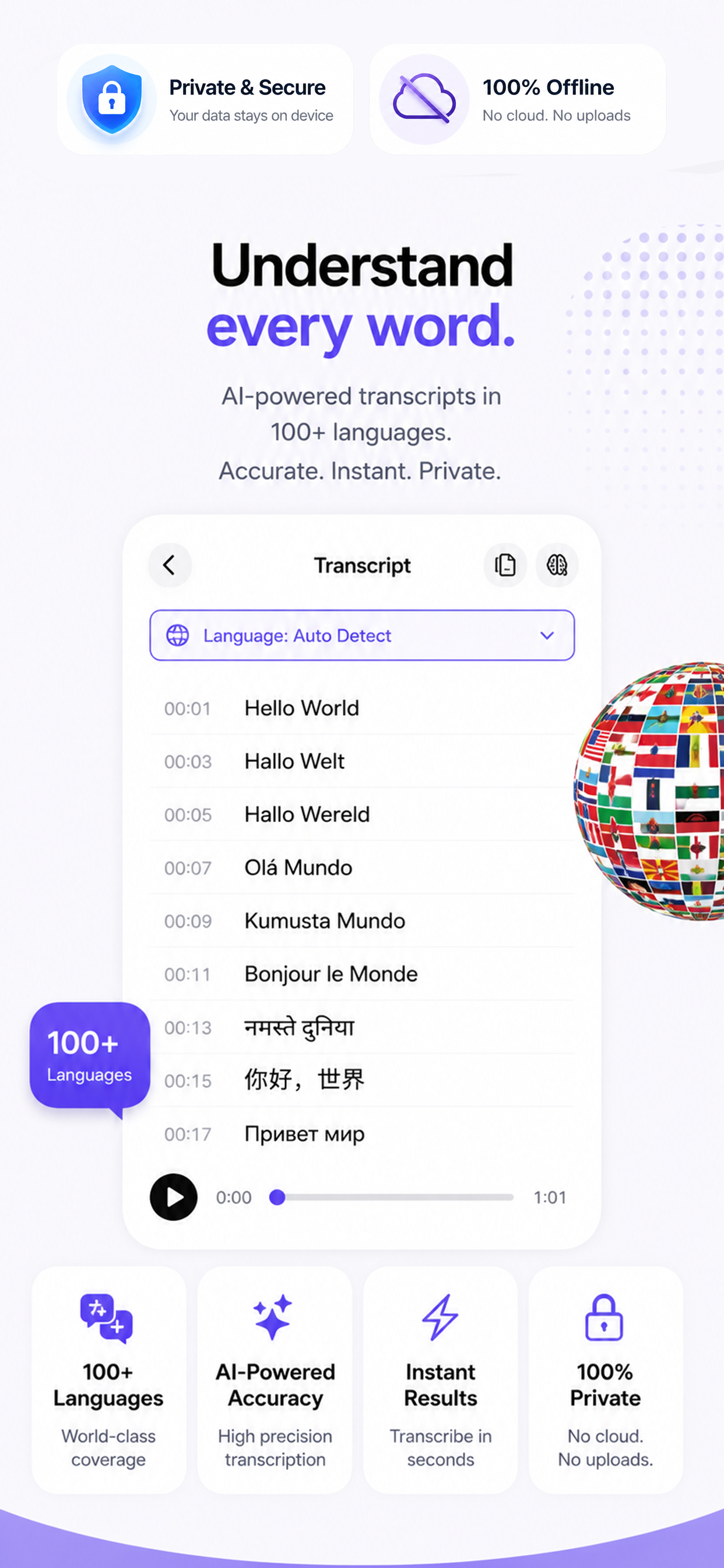
Translation in 100+ Languages

Speak or import any audio, then translate the transcript into 100+ languages with natural, context-aware AI translation.

Optional cloud AI

AI Study Tools, Quizzes & Flashcards

Turn lectures and notes into quizzes, flashcards and study modes with adaptive difficulty — Quick Quiz, Exam Prep, Memory Recall and more.

Optional cloud AI

Calendar Integration

Connect Google Calendar or Microsoft Outlook to track meetings and link notes to events.

Opt-in connection

Multi-Format Export

Export notes as TXT, PDF, DOCX, Markdown, SRT or VTT and share anywhere.

6 export formats

Interactive AI Chat

Ask questions about your transcripts and get instant, context-aware answers.

Optional cloud AI
100+
Languages supported
On-device
Audio transcription
6
Export formats
7+
AI study modes
Made for the way you work

From lecture halls to boardrooms.

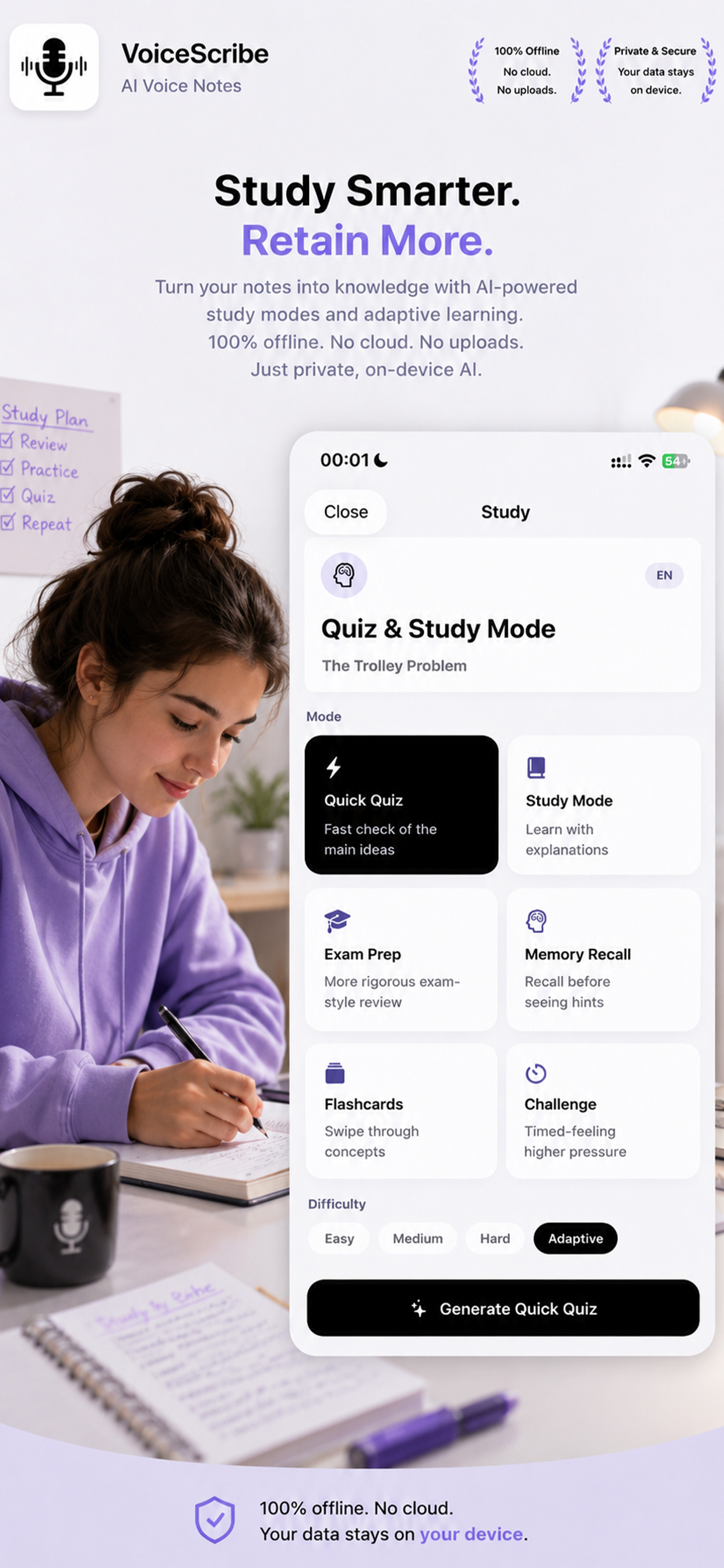
VoiceScribe Quiz and Study Mode with Quick Quiz, Exam Prep, Flashcards and adaptive difficulty
For Students

Study smarter. Retain more.

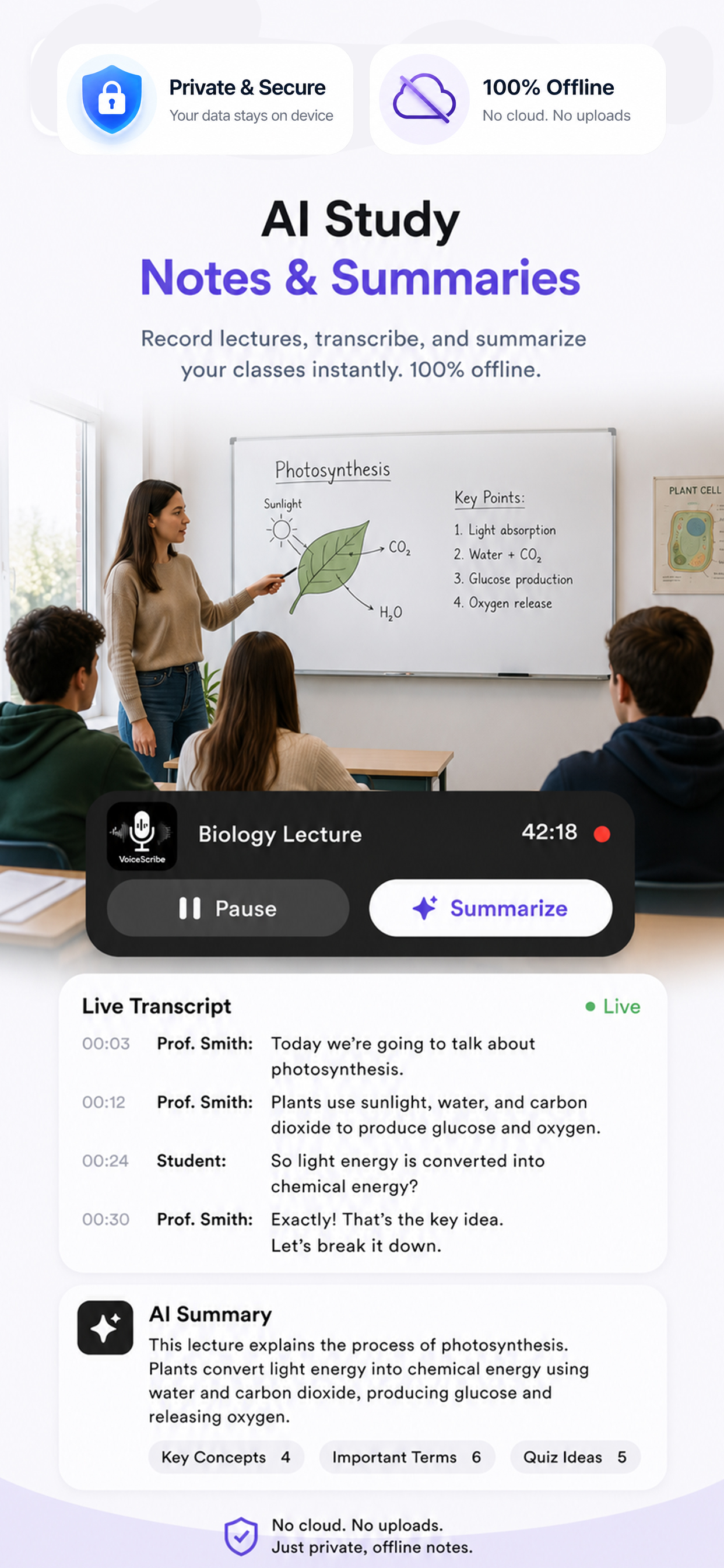
Record lectures, transcribe them on your device, then turn your notes into knowledge with AI-powered study modes and adaptive learning.
  • Auto-generated quizzes & flashcards from any lecture
  • Quick Quiz, Exam Prep, Memory Recall & Challenge modes
  • Import YouTube lectures and PDFs into study notes
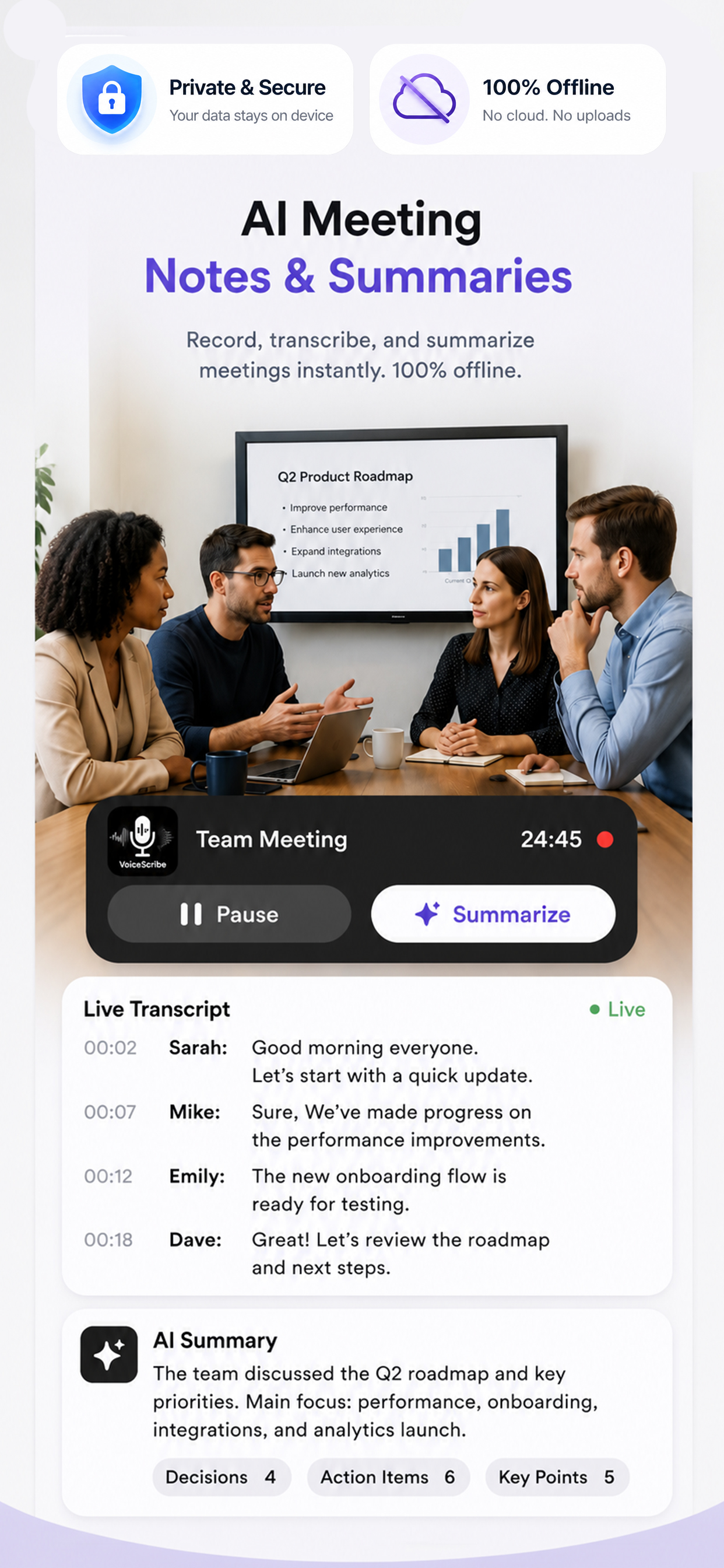
VoiceScribe meeting recording with live transcript and AI summary listing decisions and action items
For Meetings

Every meeting, captured & summarized.

Record, transcribe and summarize meetings instantly. Walk away with decisions, action items and key points — no manual note-taking.
  • Speaker-aware live transcript
  • One-tap AI summary with decisions & action items
  • Link notes to your Google or Outlook calendar events
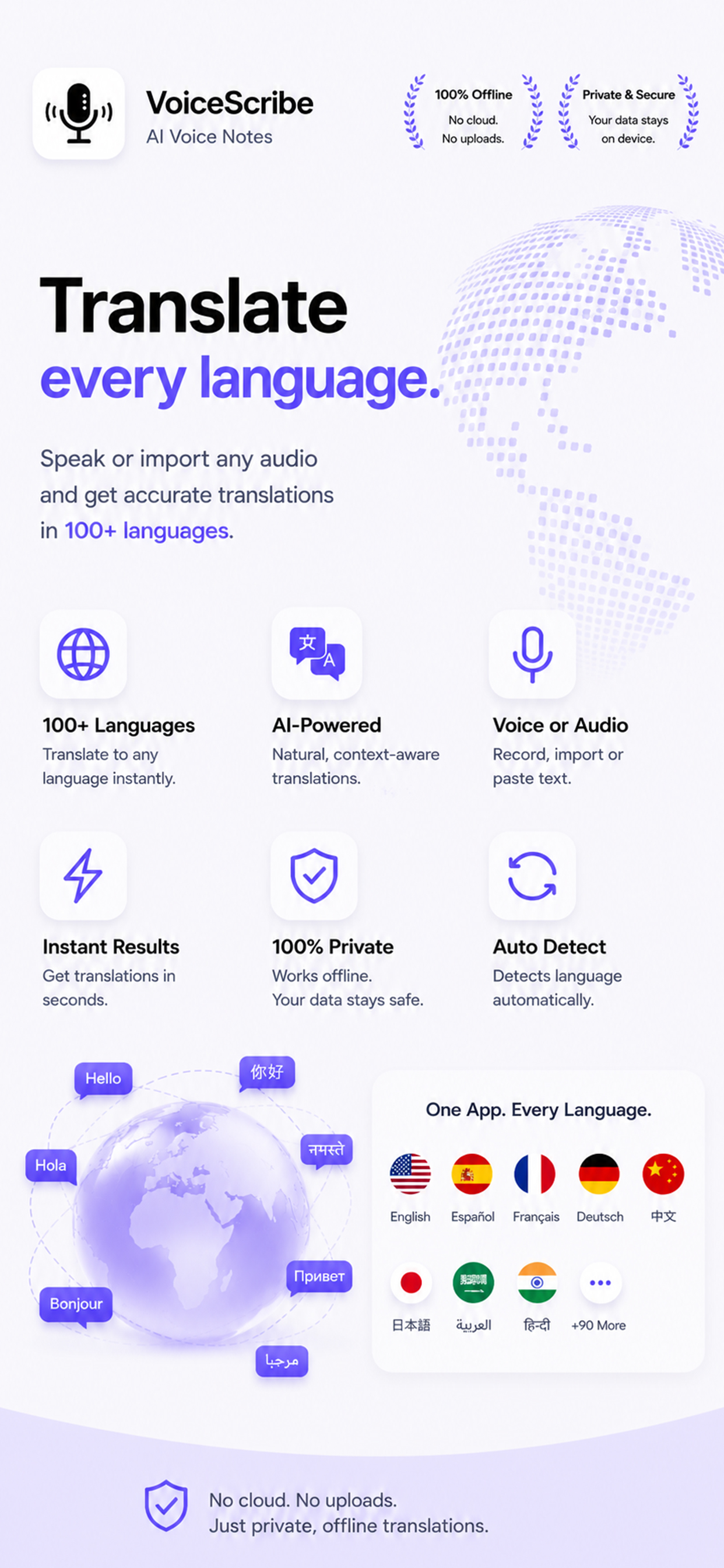
VoiceScribe translation feature supporting 100+ languages with auto language detection
For Travel & Work

Translate every language.

Speak or import any audio and get accurate translations in 100+ languages. Auto language detection makes it effortless.
  • Natural, context-aware AI translation
  • Record, import or paste text to translate
  • Automatic source-language detection
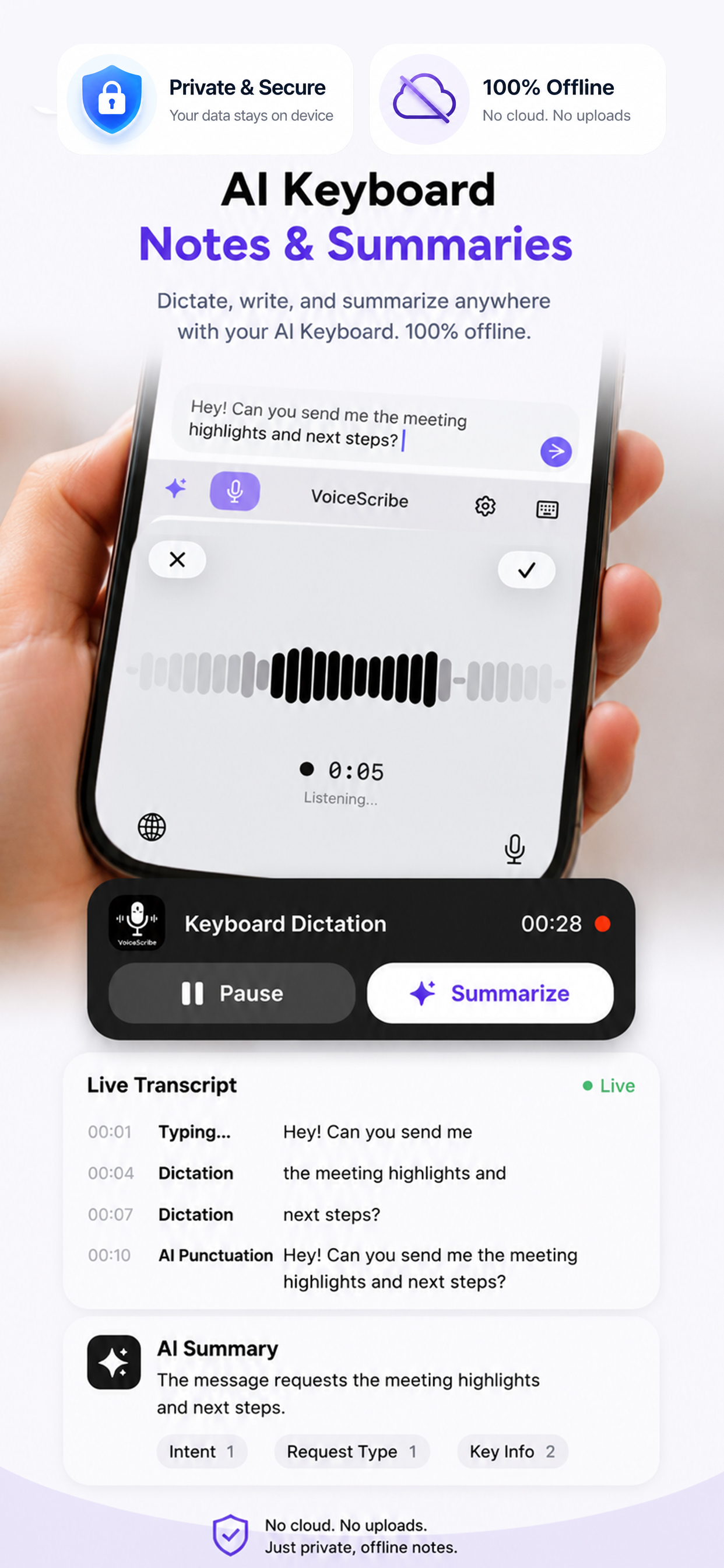
VoiceScribe AI keyboard dictation with live transcript and AI summary
AI Voice Keyboard

Dictate, write & summarize anywhere.

The VoiceScribe keyboard brings voice typing to every app. Speak naturally, get clean punctuation automatically, and summarize long messages in a tap.
  • Hands-free dictation in any text field
  • Automatic AI punctuation
  • Summarize the conversation before you send
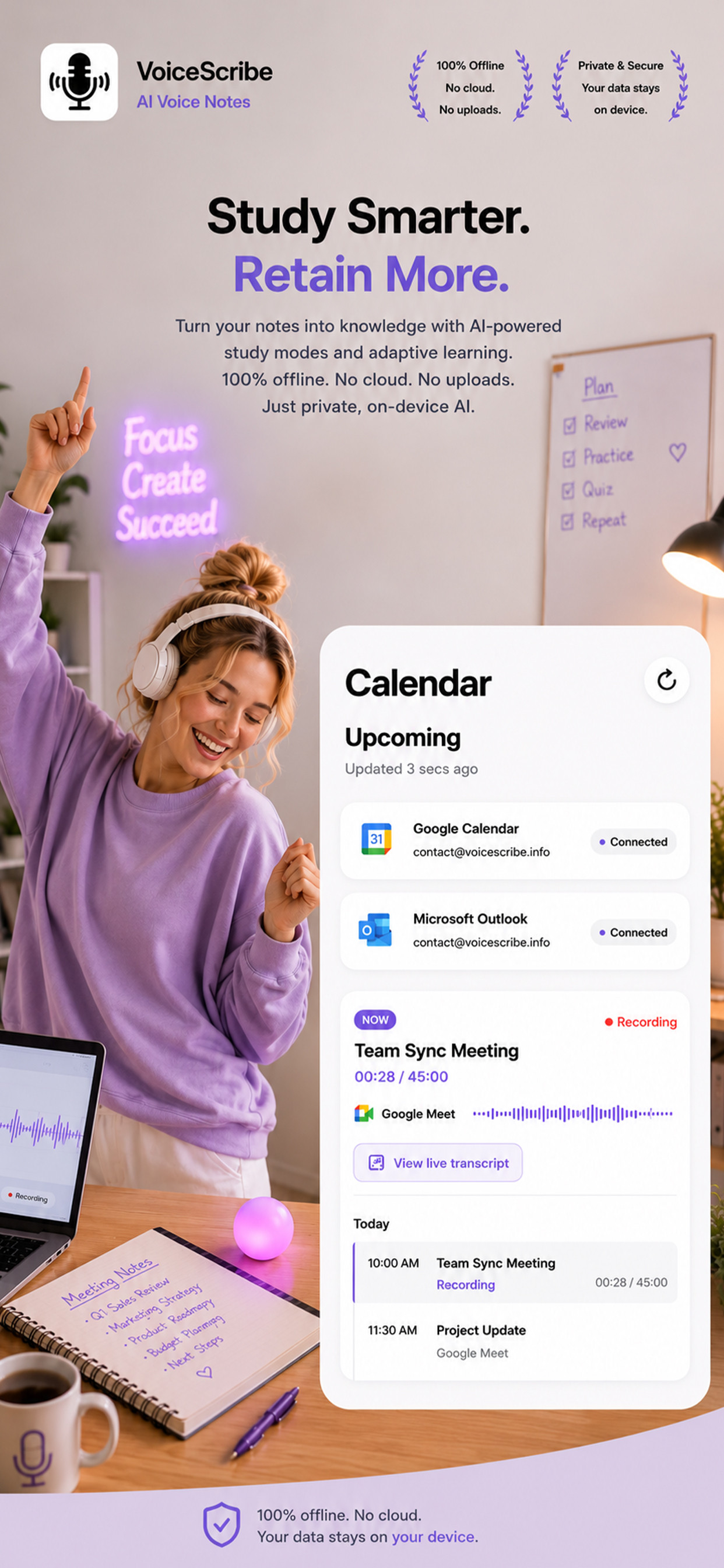
VoiceScribe calendar integration with connected Google Calendar and Microsoft Outlook accounts
Calendar Integration

Your meetings, organized.

Connect Google Calendar or Microsoft Outlook to see upcoming events, record on schedule and keep your notes tied to the right meeting.

  • Calendar access only after you explicitly connect an account
  • Disconnect Google or Outlook at any time
  • No background data sharing
See exactly what's shared →
Privacy First — and honest about it

Your audio is transcribed on your iPhone.

VoiceScribe transcribes your recordings on-device with WhisperKit — your audio is never uploaded for transcription. Optional AI features (summaries, notes, chat, rewrite, translation, study tools) send only the transcript text you choose to the DeepSeek API, and only when you tap to use them. You're always in control.

Audio stays on device

Transcription runs locally with WhisperKit. No audio is uploaded for transcription.

You trigger every cloud AI action

Transcript text is sent to DeepSeek only when you explicitly request an AI feature.

Review before you share

You can see the exact transcript text before any AI summary, note, chat or translation runs.

Why VoiceScribe

The all-in-one voice workspace.

Record, transcribe, translate, study and export — without juggling five different apps.

Lightning-fast on-device AI

Transcription happens locally, so you get results in seconds — even without a connection.

Everything in one place

Notes, summaries, translations, study tools and exports — all from a single recording.

Transparent by design

Clear, honest disclosure of every third party and exactly what data is shared, and when.

Simple pricing

Start free. Upgrade when ready.

Subscriptions are billed through your Apple ID and renew automatically until canceled. See full Subscription Terms.

Free

$0/ forever

Everything you need to get started.

  • On-device voice transcription
  • Limited AI summaries & notes
  • TXT & Markdown export
  • Voice keyboard & OCR scanner
  • Ad-supported
Download free

Pro Yearly

$59.99/ year

Save 50% — best value.

  • Everything in Pro Monthly
  • 2 months free vs. monthly
  • Priority AI processing
  • Early access to new features
  • Cancel or restore anytime
Start Yearly

Prices shown in USD and may vary by region. Payment is charged to your Apple ID at confirmation of purchase. Your subscription renews automatically unless auto-renew is turned off at least 24 hours before the end of the current period. Manage and cancel in your device Settings > Apple ID > Subscriptions. See Subscription Terms, Terms of Use and Privacy Policy.

Questions, answered

Frequently asked questions

Is my audio uploaded to the cloud?
No. Audio recordings are transcribed on your device using WhisperKit. Your audio is never uploaded for transcription.
Which features use the internet?
Optional AI features — AI Summary, AI Notes, AI Chat, AI Rewrite, AI Translation, AI Study Tools, AI Quiz Generation — may send the transcript text you select to the DeepSeek API, and only when you choose to use them. You can see the transcript text before it is processed.
How do I avoid cloud AI processing entirely?
Simply use VoiceScribe for recording, transcription, export and the voice keyboard, and do not trigger any AI summary, notes, chat, rewrite, translation or study features. Nothing is sent to DeepSeek unless you request it. See our AI Disclosure.
What calendar data does VoiceScribe access?
Google Calendar data is accessed only after you explicitly connect a Google account, and Microsoft Outlook data only after you connect a Microsoft account. You can disconnect either integration at any time. No background sharing occurs.
Does VoiceScribe show ads or track me?
The free version may display ads via Google AdMob, which may collect advertising identifiers. The app may request App Tracking Transparency permission — you choose whether to allow tracking, and you can decline. See our Privacy Policy and Cookie Policy.
How do I cancel my subscription?
Subscriptions are billed through Apple. Manage or cancel anytime in Settings > Apple ID > Subscriptions on your device, at least 24 hours before renewal. See Subscription Terms.

Stop typing. Start capturing.

Secure, private, on-device transcription with optional AI superpowers. All on your iPhone.